
Stop planning your work. Start finishing it.
One task, one timed session, and a place to park every thought that pulls you away. Plan on a board, focus with a Pomodoro timer, and work alongside people around the world.
No card required · 14-day free trial
3 hours.
Zero real progress.
Not because you're lazy…
…but because your attention leaked away, drop by drop, all day.
"I'll focus right after I check this one thing."
You've checked "this one thing" fifty times today 💀
Being busy isn't getting things done.
You don't need more time.
You need a way to protect you from yourself.
Most productivity tools help you plan. This one helps you do.
To-do apps are great at collecting tasks, and terrible at getting you to start one. StayFocus is built backwards from that: a smart focus timer for Pomodoro-style deep work, a quiet place to offload whatever distracts you, and small experiments you can actually keep up. Less organizing your work. More doing it.
A big goal is easy to quit. A two-week experiment isn't. You either showed up or you didn't, and the timer doesn't let you pretend.
-
Not just another to-do list.
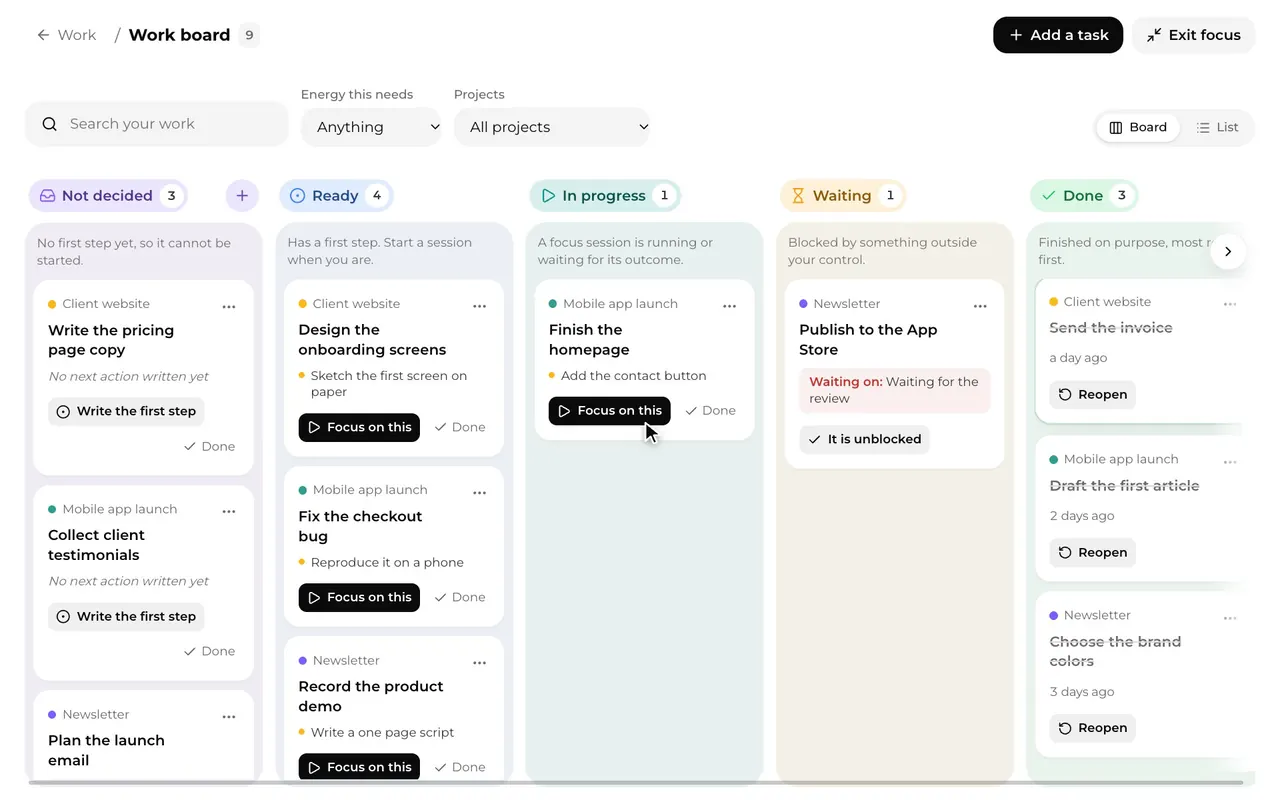
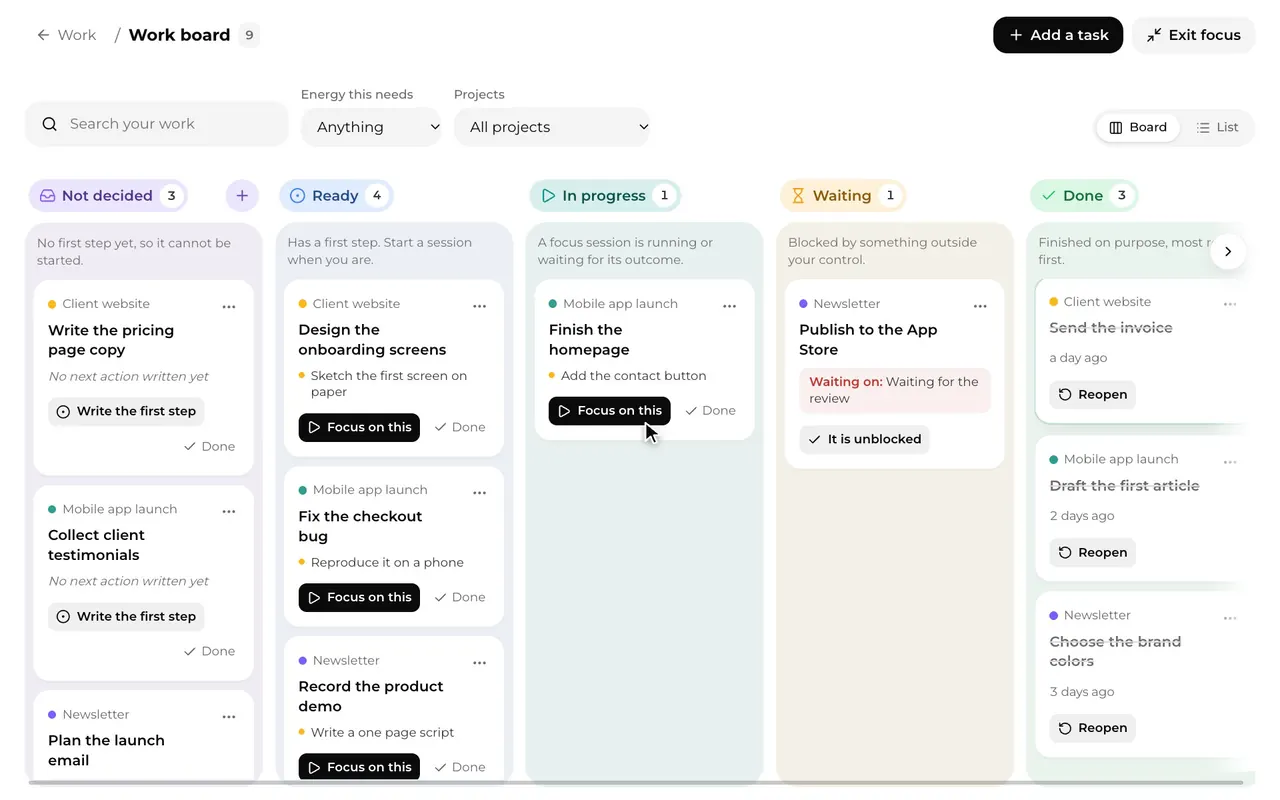
The board shows what is ready to start, and the timer gets you to start it.
-
Not a social network.
Sharing your work in public is there to keep you honest, not to entertain you.
-
Not a life overhaul.
No grand transformation. Just small, repeatable wins that quietly add up.
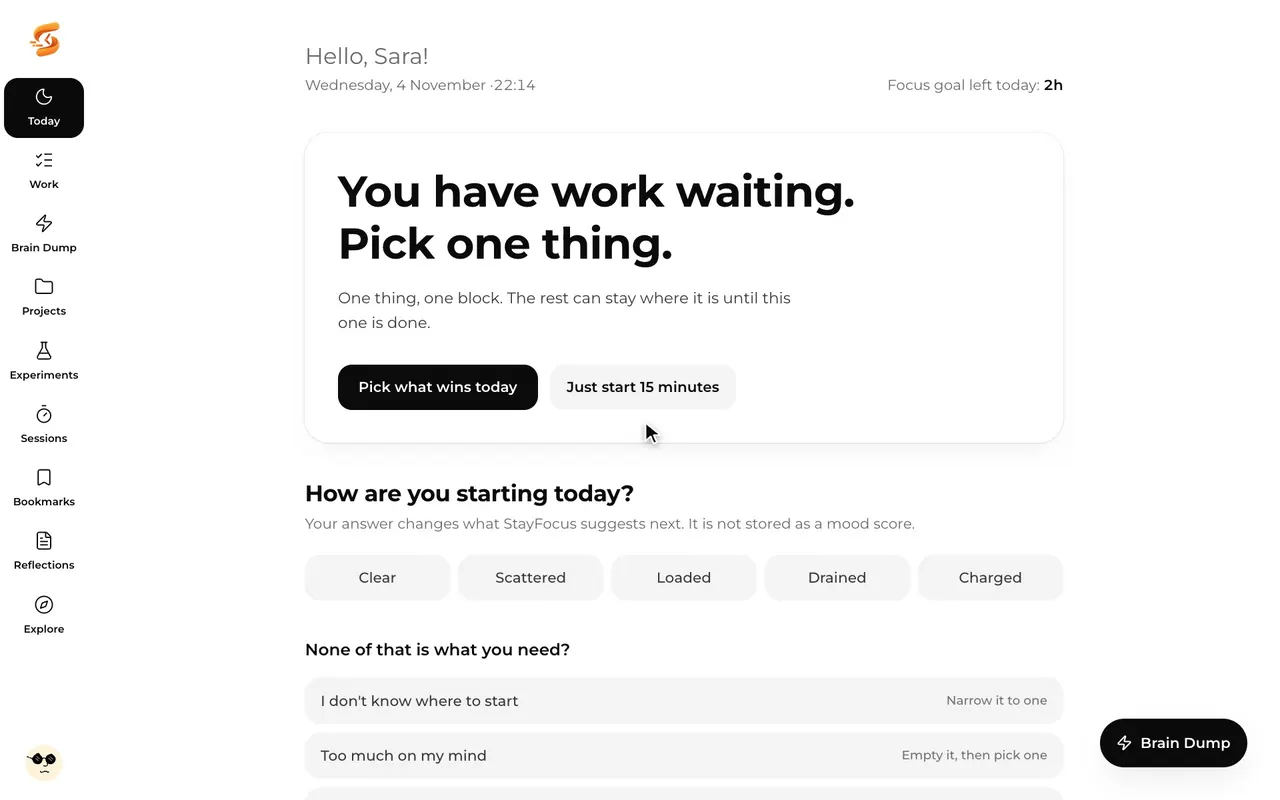
The whole app is one quiet loop you can actually keep up with.
Capture it, pick one thing, focus, say what happened. Everything here serves that loop, and nothing asks you to reorganize your life first.
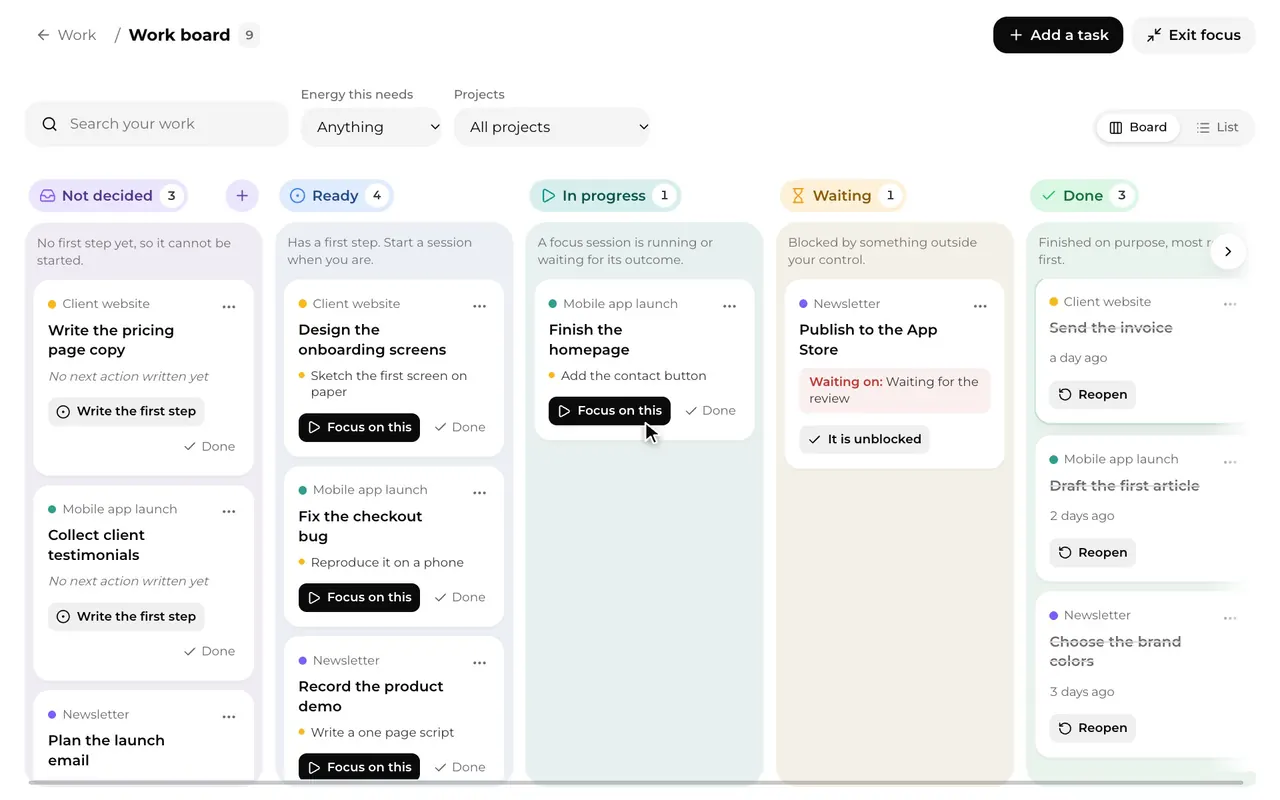
A task you can't start isn't ready yet.
Not sure where to begin? Write the first small step and the task moves to Ready. Drag cards across your board as the work changes.
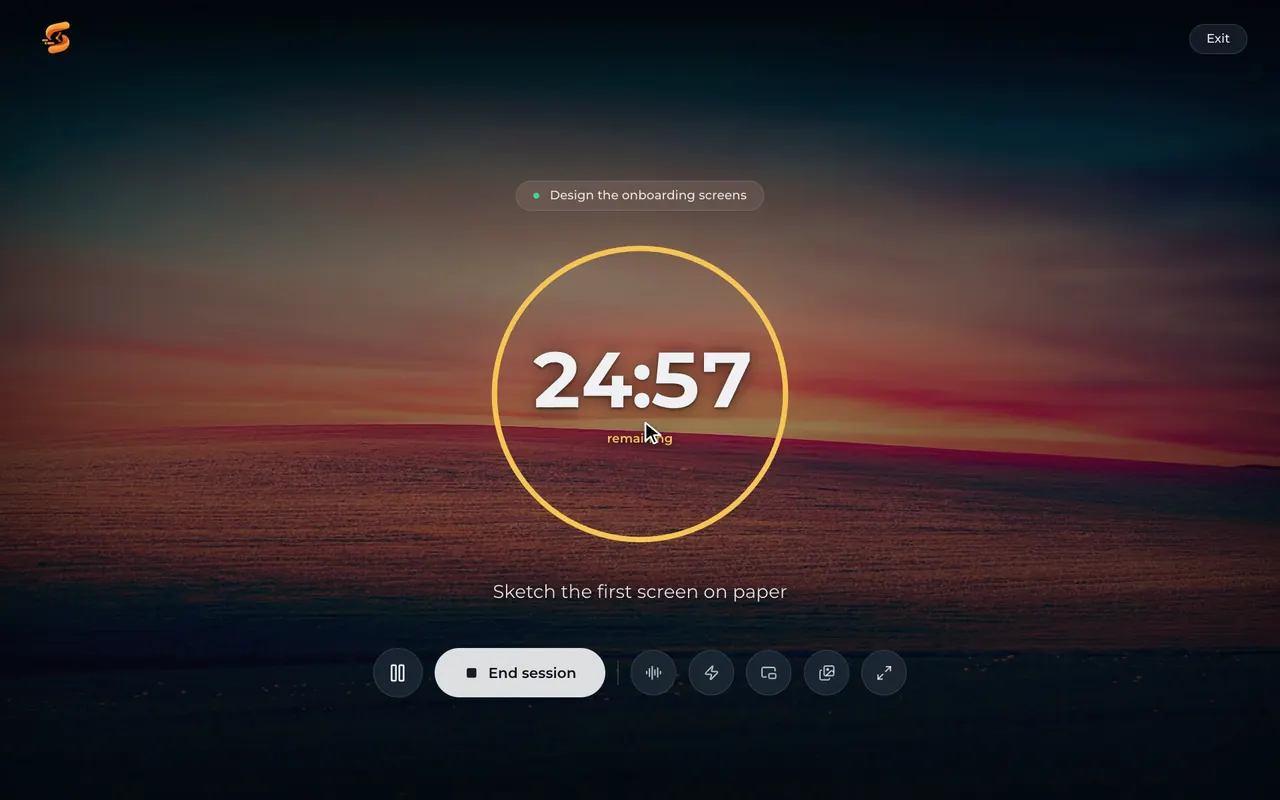
Focus mode hides everything but the clock.
Pomodoro or any length you choose. Go fullscreen, pick a wallpaper and a background sound, and let the timer hold the line.
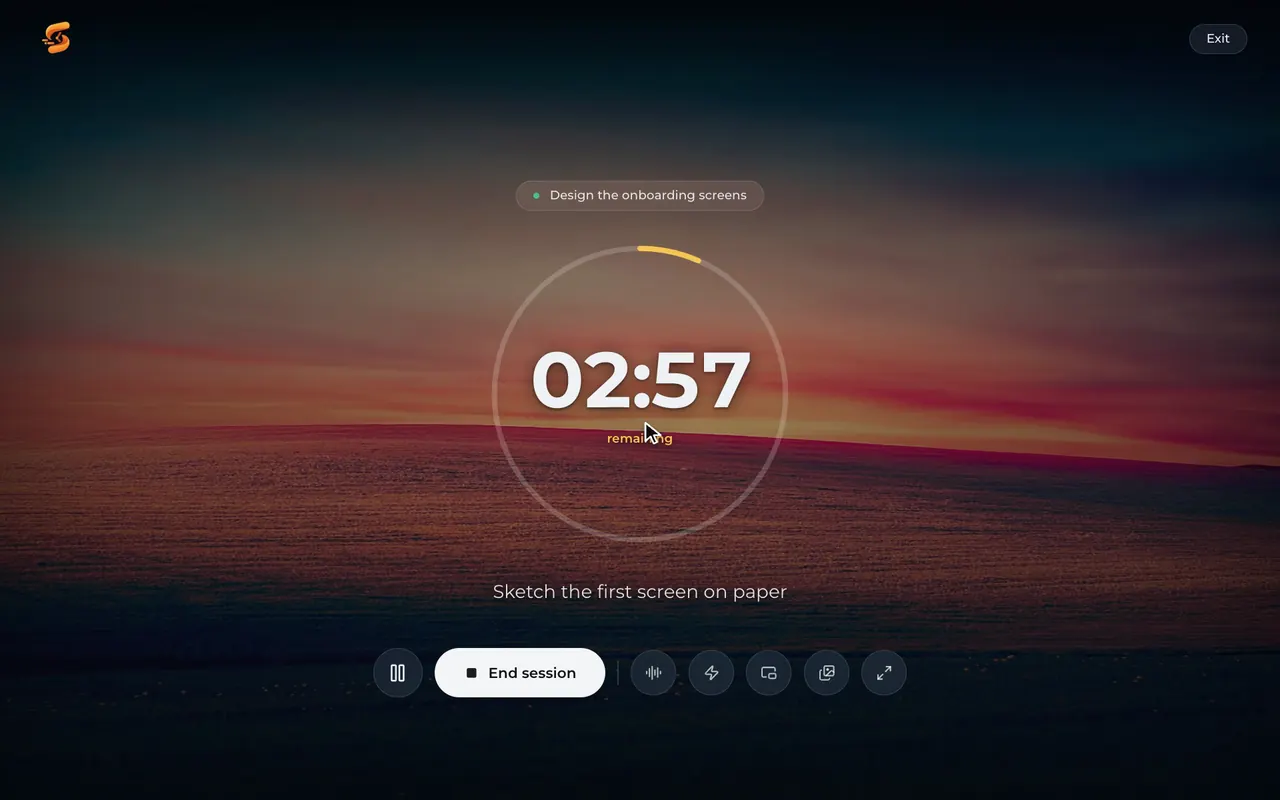
When the timer ends, say what really happened.
Finished it, made progress, got stuck, or never really started. Each answer asks a different question, so tomorrow starts from somewhere.
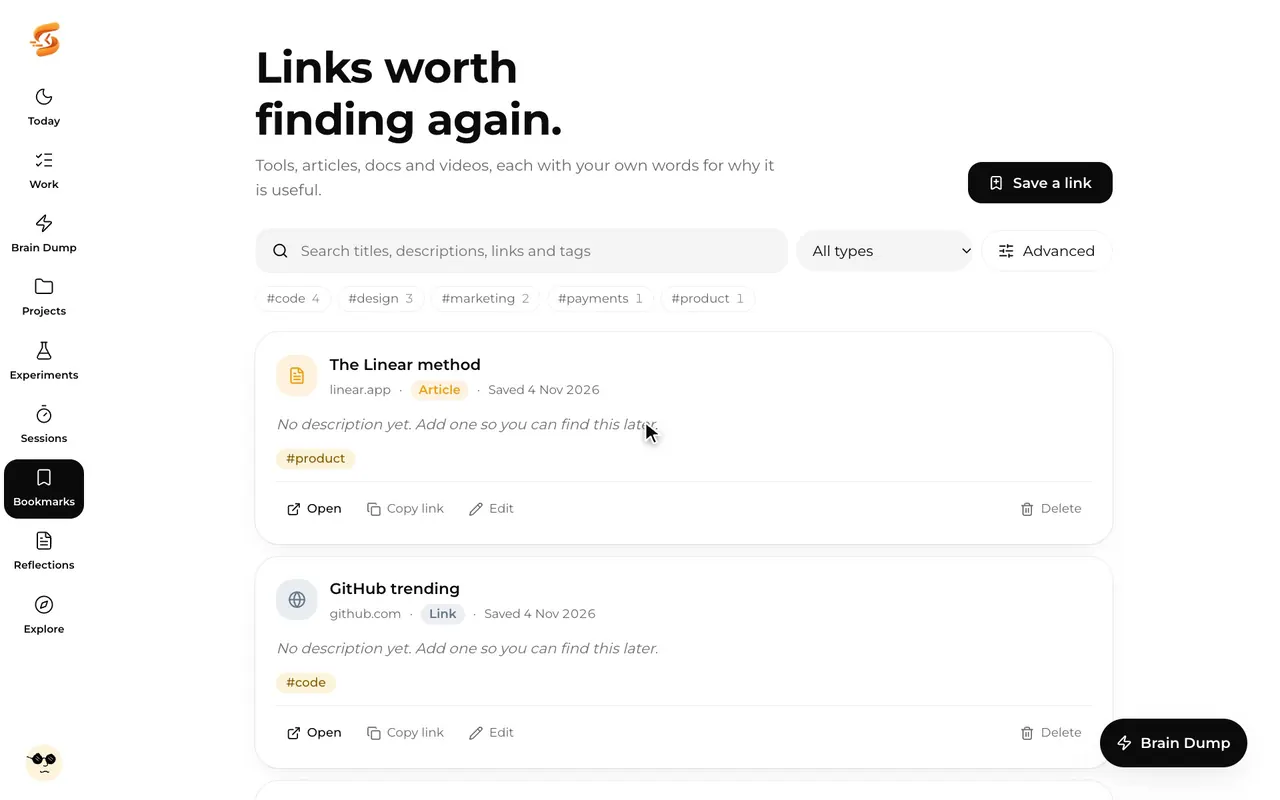
Links worth finding again.
Save tools, articles, docs and videos in your own words. Find them by tag, type or keyword, or ask your AI assistant to find them for you.
A thought hijacks you mid-task? Park it.
You're working, and your brain serves up something that suddenly feels urgent. Drop it here in one line and keep going. It'll still be there when you're done, you just don't have to chase it right now.
Get the noise out of your head.
Every session leaves a residue: small wins, frustrations, half-finished ideas. Write them down somewhere that's just for you. It isn't journaling for its own sake, it's how a cluttered head turns into a clear next move.
Try it for two weeks. Then decide.
Big promises are easy to quit, so don't make one. Pick a tiny change, run it for a set number of days, and look at what actually happened. There's no pass or fail here, just proof of what works for you.
Stuck? Start here.
A short guide to the places people actually stop, and the one move that usually gets them going again.
Your work stays yours.
Archive a project when you are done with it. Delete it for good when you want it gone, tasks and history included.
Other people are working right now.
Start a session and you show up on the live map with everyone else who's heads-down. It's quiet pressure, the good kind. You can stay private with one click.
Open the live map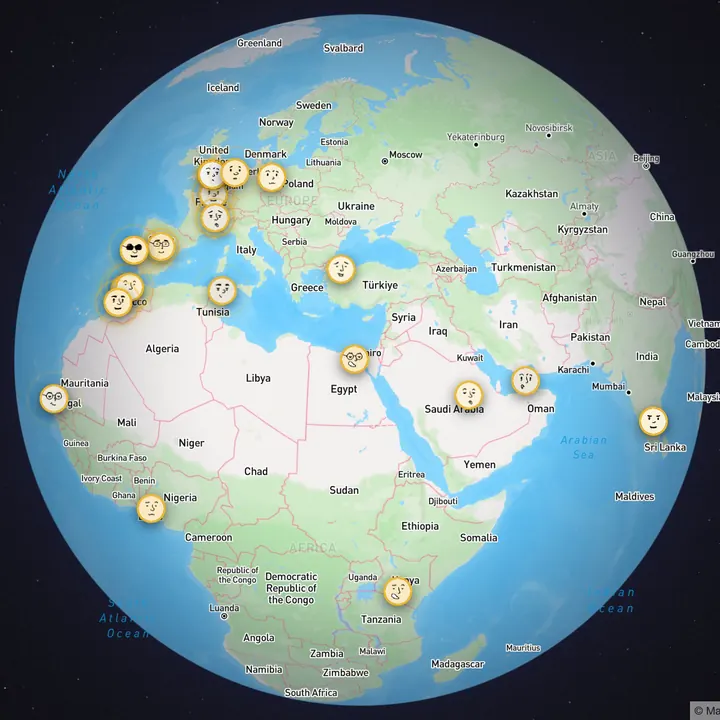
© Mapbox © OpenStreetMap
Already thinking out loud with AI? Don't lose it.
Some of your best planning happens in a chat window. Connect your assistant to stayfocus and let it drop things exactly where they belong, so a good conversation becomes real work instead of a closed tab.
30 tools for your tasks, sessions, notes and bookmarks. Works with Claude, ChatGPT and any MCP client.
Real numbers, not testimonials.
No customer logos and no invented quotes. These are the counts behind the public directories, and every one of them is a page you can open and check.
- builders with a public profile
- 48 builders with a public profile
- projects shipping in public
- 39 projects shipping in public
- focus sessions finished this week
- 1 focus sessions finished this week
- hours of deep work logged
- 159 hours of deep work logged
hey, i'm zakaria. before stayfocus, i kept running into the same problem every day.
i'd open my laptop ready to work. everything was set up. the task was right in front of me. and then... nothing.
i'd tell myself i'd start in a minute. pick up my phone. check one thing. then another. then suddenly an hour was gone.
some days the problem wasn't that i had nothing to do. it was the opposite. i had too many important things to do. too many ideas, too many tasks, too many directions. instead of working, i'd spend my time trying to decide where to start.
and even when i finally started a focus session, my brain would find a way out. a random idea would show up and suddenly feel urgent, important enough to stop everything else. a few minutes later, i'd be completely off track again.
i read the books. i tried the systems. i experimented with productivity apps and planning methods. but eventually i realized something: my problem wasn't a lack of information. i already knew what i should be doing. i just struggled to sit down and actually do it.
that's why i built stayfocus. not to manage more tasks. not to create another complicated productivity system. just to make it easier to do the one thing that matters most:
Every plan has every feature.
Cheaper than the apps fighting for your attention, and far more rewarding. Every plan starts with a 14-day free trial. No card required.
Monthly
$7 /mo
Flexible, billed every month.
Less than two coffees a month.
- Unlimited focus sessions
- Kanban board to move tasks from idea to done
- Bookmarks library for your useful links
- Unlimited tiny experiments
- Live builder map & streaks
- Connect Claude, ChatGPT & MCP assistants
- Cancel anytime
- 14-day free trial
Yearly
Recommended$59 /yr
For builders in it for the long run. A full year of focus, locked in.
Save ~30% vs monthly
- Unlimited focus sessions
- Kanban board to move tasks from idea to done
- Bookmarks library for your useful links
- Unlimited tiny experiments
- Live builder map & streaks
- Connect Claude, ChatGPT & MCP assistants
- Cancel anytime
- 14-day free trial
Last questions before you start.
Straight answers to the things people ask before their first session.
What is StayFocus, and how is it different from a to-do list or a Pomodoro timer?
StayFocus, available at stayfocus.now, is a smart focus timer for Pomodoro-style deep work. A normal Pomodoro app is a private 25-minute beep, and a to-do list just stores tasks. StayFocus adds the things that actually change behavior: your focus sessions can show up on a live map so someone can see you're working, your brain dump catches distractions, and tiny experiments (7, 14, or 30 days) help you learn what improves your output. It has a work board too, but only to answer one question: what can you start right now?
What does a typical session look like in the app?
It's one simple loop. Drop ideas, tasks, and links into your brain dump so nothing gets lost. When you're ready, start a focus session, pick a task and a duration, and the countdown holds the boundary so you stop negotiating with yourself. Turn a recurring idea into a tiny experiment with a real deadline. Jot a quick reflection on what worked afterwards. Then post an update when you ship, even something small counts.
Do I have to share my sessions publicly?
No. Sharing is the default because accountability is the point, but private sessions and ghost mode are one click away in your settings. Your brain dump, reflections, and experiments are always just for you, only your focus sessions ever appear on the live map, and only if you choose to keep that on.
What counts as a "tiny experiment"?
“Write 200 words a day for 14 days.” “One focused 45-minute session every morning for a week.” A tiny experiment is small, time-bound (7, 14, or 30 days), and clear enough to evaluate. At the end you are not asking whether you became a new person, you are asking what you learned and whether it is worth continuing.
Can I connect StayFocus to Claude or ChatGPT?
Yes. In Settings → Account, you can connect Claude, ChatGPT, Claude Code, or Claude Desktop over MCP. Once connected, your assistant can capture and manage your brain dump, start and end focus sessions, read and create reflections and projects, and read your experiments and stats, scoped to your account only. It can never see other users' data, billing details, or account credentials, and you can disconnect it at any time.
How does pricing work?
Monthly ($7) and yearly ($59, about 30% cheaper) both start with the same 14-day free trial, no card required. Both include unlimited focus sessions, unlimited experiments, and the live builder map, and you can cancel either plan anytime. When your trial ends, you'll just be asked to pick a plan, your sessions, notes, and history stay exactly as you left them, with no surprise charge.
Will this work if I work alone?
Especially then. The whole point is to make solo work less invisible, the live map gives you the feeling of a shared room, even at 6am at your kitchen table. And everything that keeps you accountable, the timer, the experiments, the notes, works the same whether anyone else is watching or not.
Does StayFocus have a kanban board?
Yes. Work is a board with five columns: not decided, ready, in progress, waiting, and done. Drag a card to move it, or use its menu on a phone or keyboard. A task only counts as ready once it has a first step, so what you see there is work you can start right now.
Can I delete my data?
Yes. Archive a project when you finish it, then delete it permanently whenever you like. Its tasks, steps, sessions and notes are removed with it, and you see exactly what will go before you confirm. You can also delete your whole account from settings.
Start one session. See what changes.
Pick one task and give it 45 minutes. That's the whole first step.
No card required · 14-day free trial